
How to Use an AI Writer With Search Console Integration to Plan and Refresh Content
October 23, 2026

A page can earn thousands of impressions while generating very few visits. Another page may rank on page two for a valuable cluster, yet sit untouched because the topic calendar follows broad keyword ideas instead of evidence from your own site.
An AI writer with Search Console integration turns that performance data into a content queue. Rankdesk helps teams use existing impressions, clicks, queries, and page-level rankings to decide whether a page needs a refresh or a new supporting article.
Quick answer: use Search Console data to choose content work
- Export the last 90 days of Search Console performance data by query and page.
- Find pages with high impressions, weak click-through rates, or average positions between 8 and 20.
- Group queries by intent and assign each group to an existing URL or a proposed new article.
- Refresh pages that already match the query intent, then create new pages for unserved topics.
- Give the AI writer a brief built from the query cluster, current URL, internal links, and subject-matter details.
- Publish, annotate the change date, and review the same query-page pairs after Google has recrawled the page.
How Search Console data guides your content plan
Search Console shows how Google users already find, or almost find, your pages. The Performance report documentation explains the core metrics: impressions, clicks, average CTR, and average position. Each metric answers a different editorial question.
Use the web search report first. Set a 90-day date range, compare it with the prior 90 days, then filter by country, device, or search appearance only when that reflects a real business priority. Short windows can make ordinary weekly shifts look like a trend.
| Search Console signal | What it usually reveals | Content decision | Example action |
|---|---|---|---|
| High impressions and low CTR | The result appears often, yet the snippet or page promise attracts few clicks | Refresh the current page | Rewrite the title, improve the opening answer, and add a more specific description |
| Average position 8 to 20 | Google sees relevance, with room to improve | Expand and strengthen the current page | Cover missing subtopics, add firsthand detail, and link from a relevant hub |
| Many related queries with no strong destination page | Demand exists across a topic that the site only touches lightly | Create a new article | Build one focused page around the shared intent |
| One page ranks for mixed intents | The page tries to serve several jobs | Split or restructure content | Keep the core intent on the existing URL and publish a supporting page |
| Clicks falling while impressions hold steady | Search visibility remains, while the result loses appeal or competitors improve | Audit the snippet and page freshness | Update examples, answer format, title, and on-page proof |
Average position is a directional measure. A query can appear in different positions across devices, locations, and search sessions. Treat it as a prioritization signal, then inspect the actual search results before assigning work.
How to find content refresh opportunities in Search Console
Start on the Pages tab, sort by impressions, and open a promising URL. Then switch to Queries. You are looking for the language people use around that page, including modifiers that the article only partly addresses.
A useful filter is a page with meaningful impressions and an average position from 8 through 20. These URLs have already earned some topical association. A strong update can help Google and readers understand the page more clearly.
Consider a fictional bookkeeping SaaS site with this article:
/blog/expense-tracking-for-small-business
Over 90 days, the page receives impressions for “expense tracking for freelancers,” “business expense tracker template,” and “how to track expenses for taxes.” The first query drives a few clicks at an average position near 12. The template query receives impressions, yet the article has no downloadable template or usable example. The tax query signals a separate need involving records, categories, and year-end preparation.
The editor should keep the original URL focused on expense tracking for small businesses. Add a freelancer section only if the product and audience support it. Create a dedicated template article for the template intent. Build a tax-record guide when the site can provide accurate, reviewed guidance. This prevents one article from becoming a loose collection of keyword fragments.
Check the search results for each query group before writing. Look at page types, format, recency, and the questions answered in visible headings. Google’s guidance on helpful, reliable, people-first content provides a sound editorial standard: create content that demonstrates clear purpose, relevant experience, and real usefulness for the intended audience.
How to use queries to decide between a new article and a page update
The page-query relationship decides the work type. Use the existing URL when the new query shares the page’s central task. Create a separate article when the query requires a different outcome, audience, or format.
For the fictional bookkeeping site, “expense tracking for freelancers” belongs on the existing guide when freelancers are a meaningful segment of small-business users. “Business expense tracker template” deserves a separate resource because the visitor expects a template they can use. The original guide can link to it with a clear contextual sentence.
This approach also produces cleaner internal linking. The broad guide explains the process, while the template page solves an immediate implementation need. Search engines receive clearer topic signals, and readers have a direct route to the next useful page.
Build each new brief around the query cluster rather than a single phrase. Record the following in the brief: the primary reader task, the page’s intended outcome, the queries that belong together, questions left unanswered by current ranking pages, internal pages to link, and the expert input required. For a repeatable research process, see this guide to AI keyword research and content writing.
How clicks and CTR improve titles, openings, and page structure
High impressions plus a low CTR calls for a SERP-facing review. Read the title and visible description as a promise. Then compare that promise with the first 150 words of the page.
For the bookkeeping example, a generic title such as “Expense Tracking for Small Business” could become “How to Track Small-Business Expenses: Categories, Receipts, and a Simple Weekly Process.” The improved version describes the scope and gives the reader a practical reason to choose it.
Make the opening answer the task immediately. Add a short process, concrete categories, a receipt-capture routine, and a worked example. Place the template link next to the point where a reader would need it. These changes serve the query group and give Google stronger evidence about the page’s purpose.
Avoid rewriting a title solely because CTR looks weak. Search demand may include broad research queries where searchers compare several results before clicking. Confirm the search intent, inspect the ranking page types, and make a change that improves the result’s accuracy.
How an AI writer with Search Console integration turns data into briefs
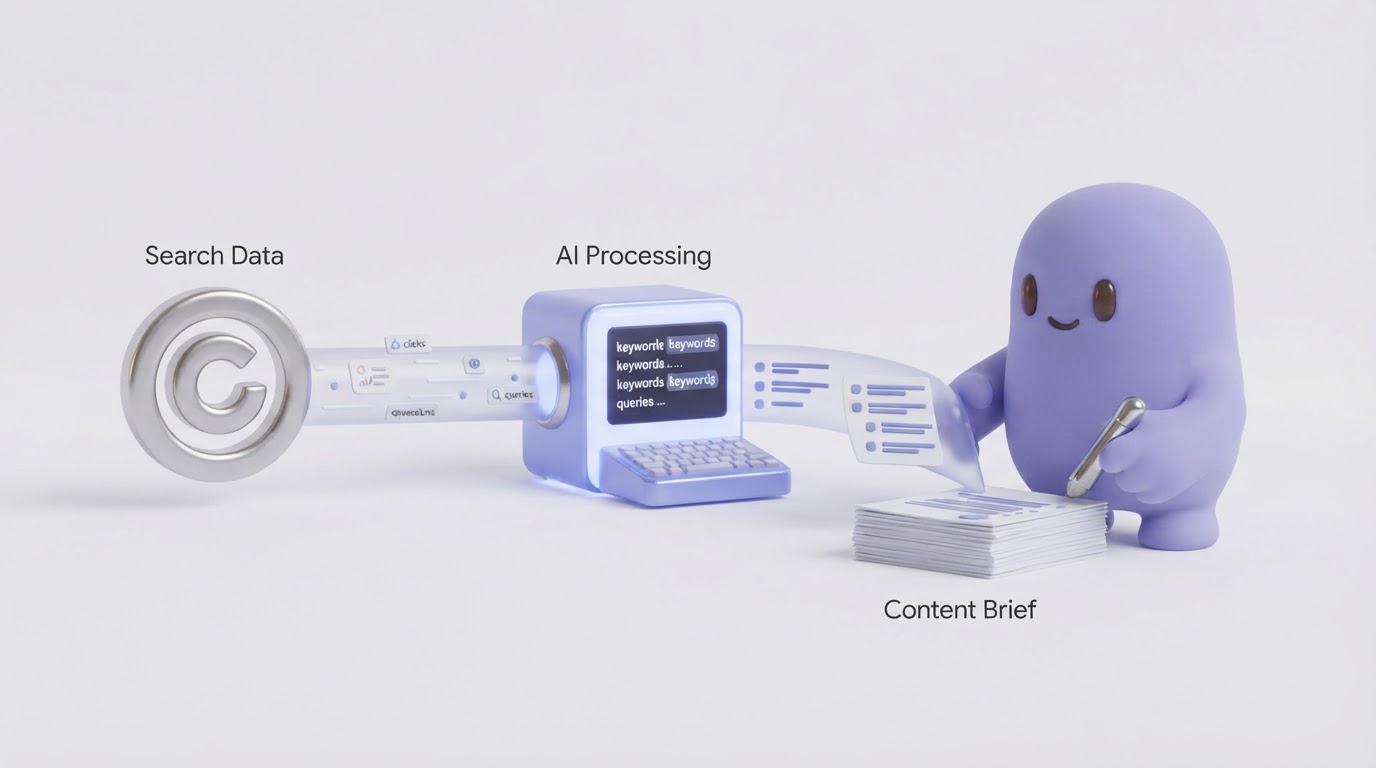
Manual exports work well for a small site, though they become slow when dozens of pages need review. Rankdesk brings the research and production stages into one workflow so each content decision stays connected to the search evidence behind it.
First, connect the site data and review the pages and query patterns that show emerging opportunity. A page with page-two visibility can enter the refresh queue, while an uncovered cluster becomes a new content opportunity.
Next, select the job. For the bookkeeping example, choose a refresh for /blog/expense-tracking-for-small-business and a new article for the template query. The distinction keeps the update brief focused and prevents keyword overlap between URLs.
Then, use the generated draft as an editorial starting point. Add the product’s real workflow, screenshots where appropriate, verified tax or compliance input, and links to relevant resources. Review factual claims before publication. This is especially important for subjects involving finance, health, legal matters, or safety.
Finally, publish through the CMS workflow your team uses and monitor the affected URLs. Teams publishing on WordPress can also review the Rankdesk WordPress integration when planning a more connected publishing process. For the wider production model, read how to automate SEO content creation without losing editorial control.
The product value comes from preserving the connection between performance evidence, the brief, the draft, and the published URL. A spreadsheet-driven process often loses that context after the initial export.
How to measure a Search Console-driven content refresh
Add the update date to your editorial tracker. Wait for Google to recrawl and gather enough impressions before judging the result. The required time varies by site, crawl frequency, competition, and query volume.
Review the same page-query pairs first. For the fictional expense-tracking guide, check whether impressions and clicks grew for the freelancer query, whether the position improved, and whether the new template page earned visibility for template-related searches. A sitewide traffic chart cannot show whether the actual content decision worked.
Use three views in the next review:
- Compare the updated page for the 90 days before and after the change.
- Compare the target query cluster, rather than every query attached to the URL.
- Check whether the new supporting page and internal link changed the topic cluster’s combined clicks.
Keep a short record of the hypothesis. For example: “The existing guide lacked a freelancer workflow, so the revision adds a dedicated section and links to a template resource.” This makes future optimization more disciplined.
How Search Console-led content can support AI assistant citations
Search Console reports Google Search performance. It does not provide a direct report for citations from ChatGPT, Claude, or other AI assistants. You can still use its query data to build pages that answer specific questions with clear structure, original details, and well-supported claims.
For the bookkeeping site, a page that explains expense categories, shows a weekly process, and includes a reusable template has a clearer chance of being useful in AI-generated answers than a thin page repeating generic advice. Cite authoritative primary sources where facts require support, keep definitions precise, and state who the guidance is for.
Entity clarity also helps. Use consistent company details, product names, author information, and references across the site. Our guide on earning mentions in ChatGPT explains the content and entity work behind stronger AI search visibility.
Common mistakes when using Search Console to plan content
The first failure mode is treating every query as a new article idea. Query variants often belong to one reader task and one existing page. Creating separate pages for each variation can divide relevance and create internal competition.
The second is refreshing a page without checking its current purpose. A URL ranking for a broad guide rarely benefits from a sudden pivot into a product comparison or local service page. Preserve the central intent and use supporting content for adjacent needs.
The third is publishing drafts without subject review. An AI writer can organize a strong brief and accelerate the first draft. It still needs accurate inputs, editorial judgment, and a final fact check.
The fourth is measuring too soon. Record the update date, give the page time to be recrawled, and compare the relevant query set. This creates a usable feedback loop for the next planning cycle.
FAQ
How often should I review Search Console for content ideas?
Review key pages monthly and run a broader 90-day review each quarter. Monthly checks catch sudden drops, new query patterns, and pages gaining impressions. The quarterly review gives enough data for larger refresh and new-article decisions.
What Search Console position is best for a content refresh?
Pages averaging positions 8 through 20 are often strong candidates because Google already associates them with the query. Also inspect high-impression pages below that range when the topic has strategic value and the site can add substantially better information.
Can Search Console tell me what article to write next?
It can reveal underserved query clusters and pages that need deeper coverage. Combine that evidence with business priorities, product expertise, search-result review, and a clear audience need before assigning a new article.
Should I update an old URL or publish a new page?
Update the old URL when the new queries match its reader task and core intent. Publish a new page when searchers need a different format, decision, or depth of answer. Map the two pages together with a relevant internal link.
Does an AI writer with Search Console integration replace an SEO editor?
It accelerates research, briefs, drafting, and production tracking. An editor still sets the business priority, verifies claims, supplies firsthand expertise, and approves the published page.
If you want a more consistent way to turn Search Console signals into planned, search-focused pages, see how Rankdesk supports the workflow. It researches your site, competitors, and keywords, then creates articles and landing pages for review or automatic publishing.