
How to Auto Publish Blog Posts Without Compromising SEO Quality
November 9, 2026

Publishing volume creates a familiar problem: drafts pile up, approvals happen in scattered documents, and articles go live without the links or checks that give them a chance to rank. A controlled workflow lets a team publish faster while preserving editorial accountability.
Obbio.ai and Rankdesk can help centralize the research-to-publication process, but the operating rules come first. Set those rules before enabling automatic publishing to WordPress or any other supported CMS.
Quick answer: how to auto publish blog posts safely
Use this workflow to auto publish blog posts without lowering SEO standards:
- Define a keyword cluster, target reader, page purpose, and destination URL before drafting.
- Research the existing site, search results, and credible sources to build a content brief.
- Generate a draft with required headings, evidence, internal-link opportunities, and a clear conversion path.
- Route every draft through editorial review for factual claims, brand expertise, intent fit, and link quality.
- Schedule approved articles in your CMS with a consistent publishing cadence and full metadata.
- Check indexing, impressions, rankings, clicks, and internal-link placement after publication, then improve weak pages.
Set the rules before you auto publish blog posts
Automatic publication should follow a defined approval threshold. Start by creating a one-page publishing specification for each content type: educational guide, comparison page, product-led article, or local service article. Include the search intent, reader stage, primary query, required expert input, allowed source types, and the person who gives final approval.
Use three publication states: research, review, and scheduled. A draft stays in review when it includes medical, legal, financial, product, pricing, or performance claims that need a subject-matter check. This prevents an article from moving straight from a generated draft to a public URL because a queue happened to be empty.
For WordPress, confirm that the connected account has only the permissions required for publishing. WordPress explains its roles and capabilities in its official documentation. Give the automation account publishing access only when the review process is stable. An editor role may suit teams that want human approval inside WordPress.
A useful rule is simple: automate repeatable production tasks and retain human responsibility for claims, positioning, and final publication decisions.
Research topics that deserve a new blog post
Strong publishing starts with a topic that has a clear job on the site. Export the last 90 days of Search Console data first. Group queries by the page users should reasonably expect to find, then identify clusters with impressions, weak average positions, or several related searches pointing toward the same unanswered question.
Google's Search Console Performance report documentation explains the query, page, click, and impression data available for this work. Use it to find opportunities on your own site instead of relying only on generic keyword lists.
Consider an illustrative WordPress site for a residential roofing company. The site has a service page at /roof-repair-austin/ and a guide at /blog/roof-leak-signs/. Search Console shows impressions for "emergency roof repair after hail" but no page built around that immediate need. The team creates a new guide at /blog/what-to-do-after-hail-damage/.
The first draft makes a common mistake: it targets broad information seekers and sends every reader to the general roofing homepage. During research, the team identifies a more useful route. The article should explain immediate safety steps, document damage, explain when to call a professional, and link to /roof-repair-austin/ for readers ready to book an inspection.
This approach gives each post a purpose in the wider site structure. For a deeper research process, see how to automate SEO content creation and use the findings to shape briefs rather than publish a list of loosely related topics.
Build an editorial brief before drafting the article
A good brief gives the draft a boundary. It answers what the reader needs, what the business can credibly say, and where the page fits in the internal-link structure.
For the roofing example, the brief could require the following: a direct response for homeowners after a storm, a safety disclaimer around structural damage and downed power lines, references to local insurance documentation requirements supplied by the client, a contextual service-page link, and an FAQ based on recurring customer questions. It could also exclude advice that requires an on-site assessment.
Set a unique angle for each article. The hail guide can focus on the first 24 hours after damage, while another page addresses insurance claims. Separate angles prevent two URLs from competing for the same query and producing nearly identical sections.
A research brief should also capture source requirements. Link to primary sources for standards, official guidance, or platform behavior. Add expert commentary from the business where experience improves the answer. This is especially valuable when you want content to be useful as a source for AI-assisted search experiences. The practical methods in this guide to earning ChatGPT mentions help teams make entities, claims, and source support clearer.
Review each draft for SEO quality before scheduling
Editorial review has four jobs: confirm accuracy, satisfy the search intent, improve the site journey, and remove unsupported filler. Review the article in the browser or CMS preview, where missing headings, broken links, awkward tables, and thin intros are easier to spot.
Use this review sequence in the same order every time. Read the first 150 words and confirm the answer appears immediately. Verify every factual statement that could affect a decision. Check that each heading advances the topic. Then test every internal and external link.
For the roofing article, the editor changes an unsupported statement about claim coverage into a practical instruction: photograph damage, save receipts, and ask the insurer about the policy terms. The editor also adds a link from the existing roof-leak guide to the new hail-damage article. That connection helps readers continue their task and gives search engines a useful path between related content.
| Review area | What to verify | Example decision for the hail-damage guide |
|---|---|---|
| Search intent | The page answers the immediate question early | Open with safety, temporary protection, and documentation steps |
| Factual support | Claims have an official source or verified business input | Remove blanket statements about insurance payments |
| Internal links | Links match the reader's next task | Link to roof repair services after urgent damage steps |
| On-page SEO | Title, URL, headings, and description describe the page accurately | Use a specific hail-damage title and /blog/what-to-do-after-hail-damage/ |
| Conversion path | The relevant service action appears at the right moment | Offer an inspection after readers understand when to call |
Avoid approving an article solely because it meets a word target or contains a target phrase. An article earns publication through usefulness, evidence, and fit with the rest of the site.
How Obbio.ai supports controlled blog publishing
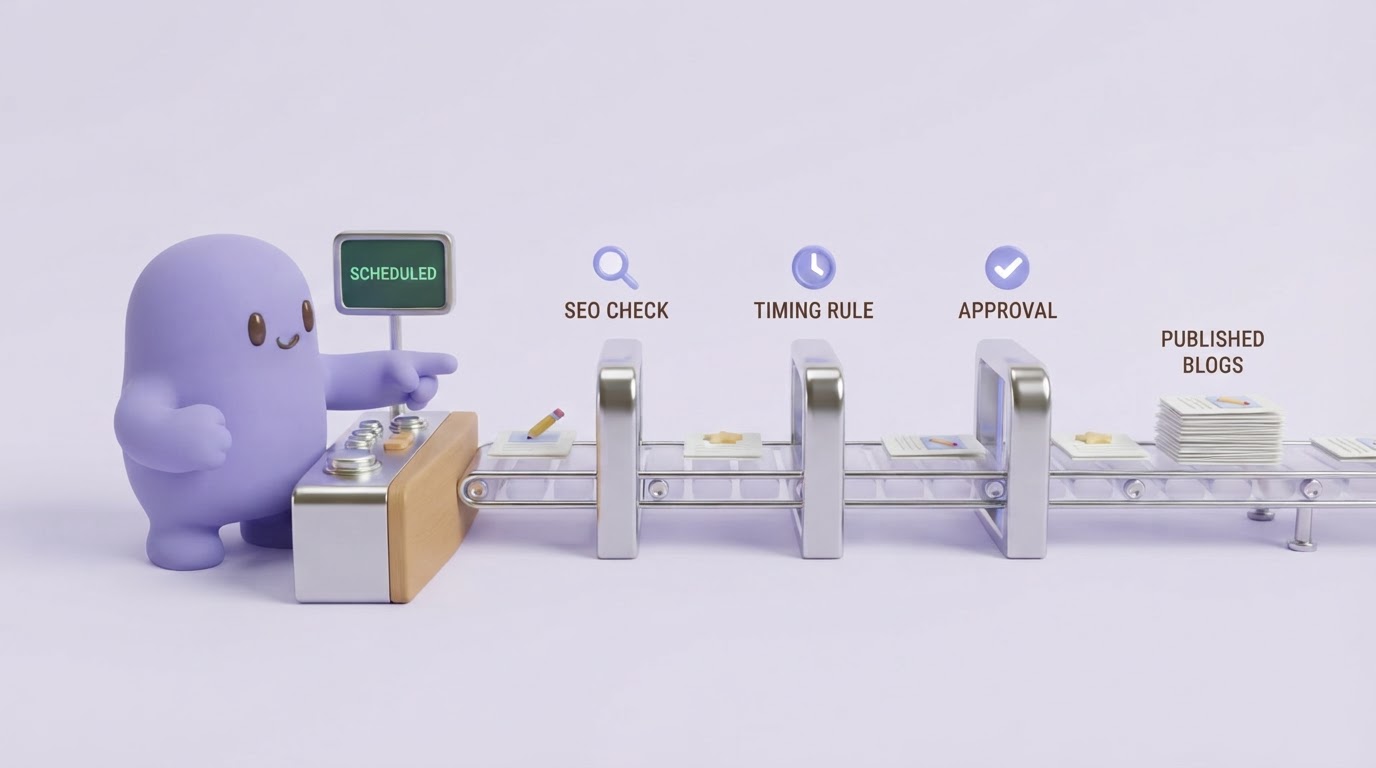
A platform earns its place when it reduces handoffs without hiding the decisions that need human judgment. Obbio.ai's features and integrations support a workflow where the team moves from research to draft, review, and publishing in an organized sequence.
Start by connecting the site and defining the content focus. For the roofing business, add the existing service URLs and key guides so the platform has the context needed to suggest relevant topics and internal-link destinations. Select the hail-damage opportunity, then use the research output to prepare a brief with the intended reader, location, commercial page, and proof requirements.
Next, create the draft from that brief. Review the opening answer, headings, recommended links, and factual statements before scheduling anything. The reviewer can refine language from the business's own experience, such as how its inspection process works, while keeping broader insurance guidance properly qualified.
Once approved, schedule the post for WordPress through the available publishing connection. Stagger closely related posts. Publishing the hail guide, a roof-leak guide, and an insurance-claims guide on the same day can create overlap before the internal-link plan and search performance are clear.
Finally, return to the published URL for performance checks. Obbio.ai's AI search optimization resources can help teams organize content around clear entities and source-supported answers, which are useful qualities for both traditional search and AI assistant citations.
Schedule blog posts around topics, not a content quota
A publishing calendar should reflect the site's ability to review, link, and measure content. A smaller batch of related articles often produces better outcomes than a large batch of disconnected posts.
For the roofing example, schedule the hail-damage guide first, then update the roof-leak guide with a contextual link after the new page is live. Publish an insurance-claims article only after collecting approved local guidance and client input. This sequence creates a connected topic cluster rather than a set of isolated URLs.
Leave time between publishing and evaluation. Search visibility can take time to develop, while technical issues such as an accidental noindex tag, incorrect canonical, or missing sitemap entry require immediate attention. Google's URL Inspection tool guidance shows how to inspect crawl and index status for an individual page.
Check performance after you auto publish blog posts
Post-publication work decides whether automated publishing produces a stronger site. Review the URL after it is live, then revisit it at regular intervals with a specific question: is the page receiving the impressions and queries expected from its brief?
Check the rendered page first. Confirm the title tag, meta description, canonical URL, headings, image alt text, links, and call to action survived the CMS publishing process. Open internal links on desktop and mobile. A broken service-page link removes much of the business value from an otherwise strong article.
Then compare Search Console queries with the original intent. If the hail guide earns impressions for "roof hail damage repair" but receives few clicks, improve the title and opening answer to reflect urgency. If it attracts readers searching for claim advice, add a tightly scoped section with verified information and link to the fuller insurance article when it exists.
Track page-level patterns, including impressions, clicks, average position, assisted conversions, and the internal links pointing into the page. An article with growing impressions and weak engagement often needs a sharper answer. An article with no impressions may need an indexing check, stronger internal links, or a better-aligned topic.
For broader authority work, apply the methods in these practical domain authority strategies. Relevant internal architecture, useful external mentions, and pages that answer specific questions reinforce one another over time.
Common mistakes with automated blog publishing
The most damaging failure mode is publishing a high volume of pages built from shallow briefs. These pages often repeat the same claims, target overlapping terms, and give readers no clear next step. Search engines and people both have limited reason to prefer them.
Another mistake is treating internal links as a final formatting task. Plan them in the brief. The proposed source page, anchor context, and destination should match the reader's next decision. In the roofing example, a link to repair services belongs after advice on when professional help is appropriate.
Teams also skip content maintenance. A post can become less accurate after policies, products, services, or search behavior change. Assign an owner and a review date when the article enters the schedule. Update pages with sustained impressions and weak clicks before commissioning a near-duplicate replacement.
FAQ
Can I auto publish blog posts directly to WordPress?
Yes, provided your publishing platform supports WordPress and the connected account has the appropriate permissions. Keep drafts in a review state until an editor confirms facts, links, metadata, and brand-specific claims. Use scheduling after approval to maintain a predictable cadence.
How often should I publish automated blog posts?
Publish at a pace your team can research, review, internally link, and measure. A weekly schedule can work well for a small site with a clear topic plan. Larger sites may publish more frequently when they have subject-matter reviewers and a defined quality-control process.
Will automatically published content rank in Google?
Rankings depend on the usefulness of the page, its relevance to the query, technical accessibility, internal links, and the wider quality of the site. Automation can speed up production and publishing. Research, editorial review, and post-publication improvement remain essential.
How do I prevent duplicate or overlapping blog posts?
Map each proposed article to one reader need, one primary page purpose, and a distinct angle. Search your own site before writing. If an existing article already answers the question, update and expand that URL when appropriate instead of creating another similar page.
If you want a more consistent way to plan, write, review, and publish search-focused content, see how Rankdesk works. It researches your site, competitors, and keywords, then creates articles and landing pages you can review or publish automatically.