

AI Content Planner: Plan Content That Can Rank
A content calendar filled with broad topics creates a familiar problem: several pages compete for the same query while important buyer questions stay uncovered. Teams also lose time moving keyword lists between spreadsheets, briefs, writers, editors, and publishing tools.
An AI content planner gives each proposed page a job, a target audience, a search intent, and a place in the publishing sequence. Obbio.ai's Rankdesk supports that work by researching your site, competitors, and keywords before producing content you can review or publish.
Quick answer: how to use an AI content planner
Use this workflow to create a focused content plan:
- Export your current pages, ranking queries, conversions, and core offers.
- Group keywords by the problem a searcher needs solved and the page type they expect.
- Find coverage gaps by comparing your site with the pages already ranking.
- Score each topic for business relevance, intent, existing authority, and production effort.
- Build a brief that specifies the angle, evidence, internal links, conversion goal, and publication date.
- Publish in connected topic clusters, then refresh the plan using performance data.
How an AI content planner turns keyword research into a publishing plan
A keyword list is raw input. A plan makes decisions: which page to create, which existing page to improve, where it belongs in the site architecture, and what outcome it should support.
Start by exporting the last 90 days from Google Search Console. Google explains how its Performance report groups clicks, impressions, queries, and pages. Add a column for qualified conversions or assisted conversions from your analytics platform.
Then classify each opportunity by intent. A query such as "payroll onboarding checklist" calls for a practical resource. "Payroll onboarding software" calls for a commercial page. Putting both targets on one URL produces a muddled page and weak internal linking.
For each topic, capture five planning fields:
| Planning field | What to record | Example decision |
|---|---|---|
| Search intent | Informational, commercial, comparison, or transactional | Create a checklist article for an informational query |
| Primary URL | New page or existing page to improve | Refresh /resources/payroll-onboarding |
| Business connection | Product, service, or next step | Link to the onboarding software demo page |
| Evidence needed | First-hand detail, source, examples, or data | Add workflow screenshots and regulatory source links |
| Cluster role | Pillar, supporting article, landing page, or comparison | Publish as support for a payroll onboarding pillar |
Use Google's Search Essentials as a quality check while writing briefs. Helpful pages answer the visitor's purpose clearly and show real expertise, rather than repeating generic phrases already found across search results.
Build your AI content planner around a real topic cluster
Consider a fictional B2B payroll platform with an existing guide at /resources/employee-onboarding. Its team sees impressions for "payroll onboarding checklist," "new hire payroll documents," and "payroll onboarding software." The original plan assigned all three phrases to the same guide.
That page drew informational visitors, yet its product section felt disconnected. The team split the work into three clear assets:
- Update
/resources/employee-onboardingas the broad employee onboarding guide. - Create
/resources/payroll-onboarding-checklistfor operations teams seeking a downloadable process. - Create
/payroll-onboarding-softwarefor buyers evaluating a platform.
Each article links upward to the guide and toward the relevant commercial page. The checklist also gives the software page a credible contextual link. This structure gives search engines clearer signals and gives readers a relevant next step.
Plan clusters around buyer problems, not an arbitrary monthly article count. A seven-page cluster can serve a site better than 20 disconnected posts because each URL strengthens a related set of entities, questions, and services.
For a deeper production process, see this practical workflow for automating SEO content creation. It covers how research, drafting, editorial review, and publishing can fit into one repeatable system.
Prioritize AI content planner ideas by value and readiness
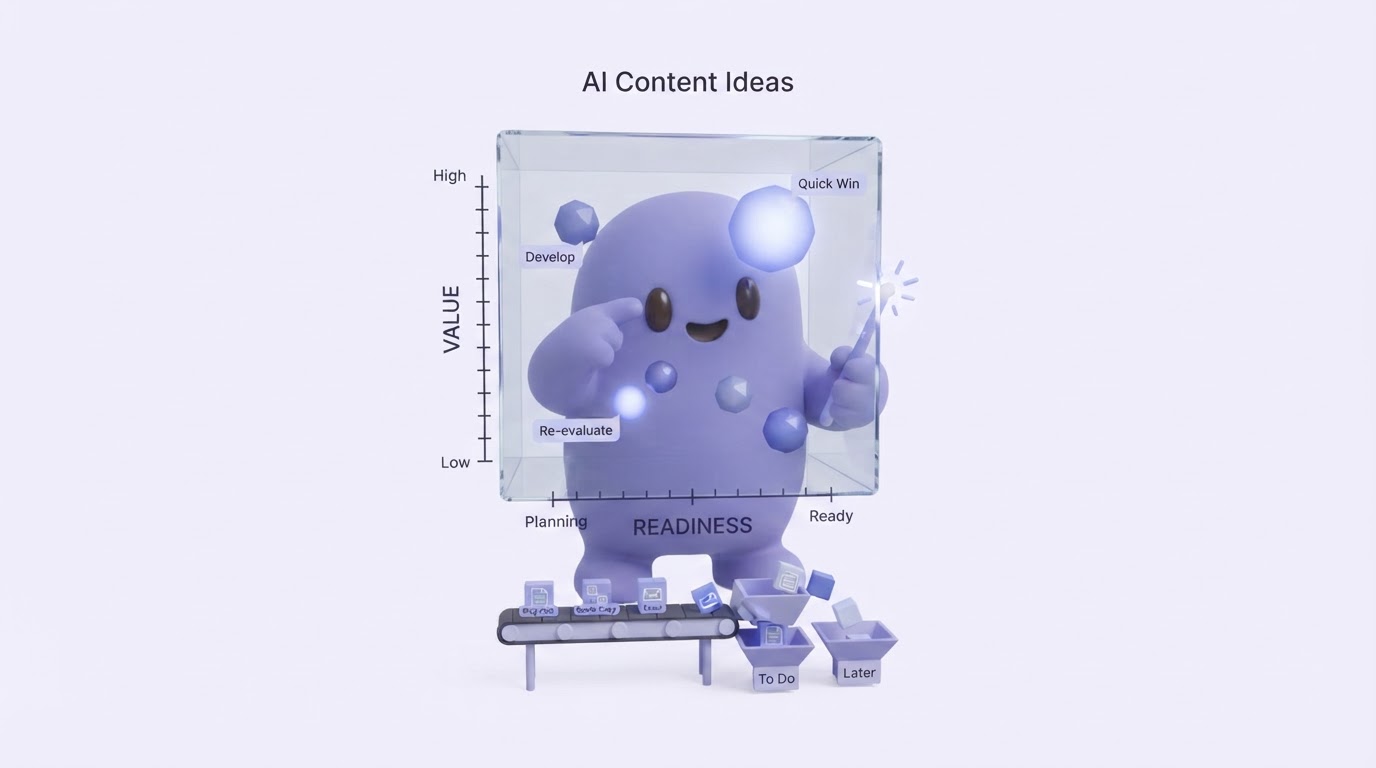
High volume alone rarely makes a topic the right next page. Give every proposed URL a simple score from one to five across four factors: commercial relevance, intent fit, available expertise, and internal-link support.
The fictional payroll team initially favored "employee onboarding" because it had broad demand. Their site already had a solid guide for it, though. "New hire payroll documents" had fewer impressions, but it exposed a precise operational need, matched their compliance expertise, and linked naturally to their checklist and product page. It moved ahead in the schedule.
Prioritize existing pages when they already earn impressions and sit close to page-one visibility. Create a new page when the query serves a separate intent or needs a distinctly different format. This decision prevents cannibalization before it starts.
A reliable plan also reserves editorial capacity. Subject-matter review, compliance checks, screenshots, product validation, and link placement take time. Schedule those steps when you choose the topic. A draft without an assigned reviewer becomes calendar debt.
How Rankdesk supports an AI content planning workflow
Spreadsheets can run this process. They become difficult to maintain when a site has many service pages, changing rankings, and a consistent publishing schedule. Rankdesk reduces the handoffs by bringing research and creation into the same workflow.
Start by adding the site and defining the offers or services that matter most. Rankdesk can examine your site, competitors, and keyword opportunities to surface content directions connected to your domain.
Next, review the proposed topics and select the ones that fit your current cluster. For the payroll example, choose the checklist before drafting a broad second employee-onboarding guide. This preserves intent separation and supports the existing pillar.
Then turn the selected topic into an article or landing page. Add the specifics generic research cannot supply: product constraints, a real process, expert review points, and the page a qualified reader should visit next. The Rankdesk features page outlines the broader workflow, while the integrations page helps you assess where it can fit into your publishing process.
Finally, review the output before publishing or use automated publishing when the template and approval process are ready. Teams managing client portfolios can also see how this approach applies across accounts in the guide to scaling client SEO content.
Common AI content planner mistakes that weaken rankings
The most common failure is treating every keyword as a separate article. Searchers often use several wordings for the same task. Combine those phrases into one strong page when the expected answer and format match.
Another failure comes from publishing a complete cluster before checking the first page's response. Publish the primary asset, monitor impressions and query patterns, then refine supporting briefs. The payroll team might find that searchers ask heavily about state forms. That finding justifies a focused supporting page with current, cited guidance.
Avoid briefs that only specify a target term and word count. A useful brief states the reader's role, the decision they need to make, the unique evidence the page can provide, the internal pages to link, and the conversion path.
AI assistant visibility deserves planning too. Clear entity descriptions, specific claims, original examples, and accessible page structure increase the chance that systems can identify useful source material. Read how to earn mentions from ChatGPT for a practical approach to building content that can be cited.
FAQ about AI content planners
What should an AI content planner include?
A useful planner includes topic clusters, target intent, page type, priority, assigned owner, internal-link targets, review requirements, publishing date, and the business goal for each URL. Keep performance notes beside each item so future planning uses evidence from the published page.
Can an AI content planner create landing pages as well as blog posts?
Yes. Commercial pages belong in the same plan because supporting articles need relevant destinations. Plan informational guides, service pages, comparison pages, and location pages together so their links and calls to action support one another.
How often should I update a content plan?
Review search performance monthly and revisit priorities quarterly. Update sooner when a product changes, a new service launches, search results shift substantially, or Search Console reveals a strong emerging query pattern.
Should I publish every topic an AI tool suggests?
Publish topics that serve a defined audience, support a real offer, and have an angle your team can substantiate. Remove overlapping ideas, weak-fit subjects, and pages that lack a clear editorial owner. A smaller plan with strong coverage is easier to maintain and improve.
A strong AI content planner turns search data into a sequence of useful pages, rather than a queue of disconnected drafts. If you want a more consistent way to plan, write, and publish search-focused content, see how Rankdesk works. It researches your site, competitors, and keywords, then creates articles and landing pages you can review or publish automatically. Read next: SEO Content Planning Software.