

Content Gap Analysis Tool
Competitors may be gaining qualified traffic from pages your site has never planned, including comparison pages, use-case guides, and answers to high-intent questions. A content gap analysis tool turns that scattered evidence into a focused publishing plan.
Rankdesk helps teams research their site, competitors, and keywords, then turn priority gaps into articles and landing pages ready for review or publishing.
Quick answer: how to run a content gap analysis
Use this workflow to find and act on content gaps:
- Define the business outcome and choose three to five organic competitors.
- Export your ranking keywords, URLs, and Search Console queries from the last 90 days.
- Collect competitor ranking pages and group keywords by search intent.
- Remove irrelevant topics, duplicate ideas, and terms outside your offer.
- Score the remaining gaps by commercial value, ranking feasibility, and page fit.
- Create or refresh the page that best satisfies each priority intent.
- Publish, link from relevant existing pages, and measure impressions, rankings, and conversions.
What a content gap analysis tool should find
A useful content gap analysis compares the search demand your competitors capture with the coverage your own domain provides. The output should lead to an editorial decision: create a page, expand an existing page, consolidate overlapping pages, or leave the topic alone.
Start with pages rather than isolated keywords. One guide can rank for many closely related queries, while a single keyword list can make a site look thin or repetitive. Google explains that its systems aim to surface helpful, reliable, people-first content in its Search Essentials documentation.
A strong analysis reveals four practical types of opportunity:
- Missing topics, where competitors rank and your site has no relevant page.
- Weak coverage, where you have a page but it misses key questions, examples, or proof.
- Intent gaps, where your page serves research intent while searchers want a service, product, or comparison page.
- Authority gaps, where your coverage exists but internal links, expertise, and supporting content remain too light.
Treat each opportunity as a page decision. That keeps a content gap analysis tool connected to publishing results instead of producing another spreadsheet that sits untouched.
How to find content gaps step by step
1. Choose competitors based on search results
Select domains that repeatedly appear for the topics you want to own. Include direct business competitors and specialist publishers only when they compete for the same search intent.
For a worked example, consider a fictional payroll software company at paywise.example. Its team sells payroll tools for U.S. businesses with 25 to 250 employees. They start with three domains that rank across payroll compliance, multi-state payroll, and employee onboarding searches.
Avoid comparing against huge sites simply because they rank for broad terms. A global publisher may have far more authority and a radically different content model. Use it for ideas, then prioritize peers whose page depth and domain strength resemble yours.
2. Export your current search footprint
Export the past 90 days of queries, pages, clicks, and impressions from Google Search Console. The Search Console performance report documentation explains the available search metrics and dimensions.
Paywise finds that /guides/payroll-compliance earns impressions for “multi-state payroll compliance,” yet its title and copy focus on annual filing dates. The team also finds no page for payroll setup across state lines. That is evidence of both a weak-coverage gap and a missing-topic gap.
Export the data before inspecting competitor keywords. Your current footprint helps you spot pages already close to a stronger result.
3. Group gaps by intent and page type
Keyword overlap alone creates poor priorities. Group terms by the result a searcher expects: educational guide, template, service page, category page, comparison, or product-led page.
For Paywise, “how to run payroll in two states” and “multi-state payroll requirements” belong in an in-depth guide. “multi-state payroll software” belongs on a product or solution page. Combining both on one URL would give readers an unclear next step.
| Gap type | Evidence to review | Best action | Paywise decision |
|---|---|---|---|
| Missing page | Competitors rank for a coherent topic and your site has no matching URL | Create a dedicated page | Publish /guides/multi-state-payroll |
| Underdeveloped page | Your URL earns impressions but has weak clicks or incomplete coverage | Refresh the existing URL | Expand /guides/payroll-compliance |
| Wrong intent | Your page type differs from the dominant results | Build a page for the expected intent | Create /solutions/multi-state-payroll |
| Authority gap | Good page coverage with limited internal support | Add related supporting pages and internal links | Link guides from compliance and onboarding hubs |
4. Prioritize gaps that support the business
Score each cluster using three questions: Does it attract the right buyer or influencer? Can your team provide a genuinely useful answer? Does the site have a credible path to compete?
Paywise initially considers a broad “payroll tax” guide because it carries heavy search demand. The term brings a mixed audience that includes students, accountants, and employers outside the company’s target segment. The team instead prioritizes multi-state payroll, where its product and support team have direct expertise.
Give each cluster a simple score from 1 to 5 for commercial relevance, evidence of demand, ranking feasibility, and available subject-matter input. Publish the highest total first. A smaller, tightly matched opportunity can produce a better pipeline contribution than a broad topic with weak fit.
5. Build a page that closes the gap fully
Study the leading pages for recurring questions, formats, and missing detail. Then add the expertise competitors lack. For the Paywise guide, that includes a state-registration decision tree, examples for remote hires, a payroll calendar checklist, and links to the matching product solution.
Use clear headings that match the reader’s task. Add original examples, sourced requirements, and a practical next action. This approach supports classic rankings and also gives AI assistants clear information they can cite. For a deeper framework, read how to get mentioned by ChatGPT.
How Rankdesk turns content gaps into a publishing workflow
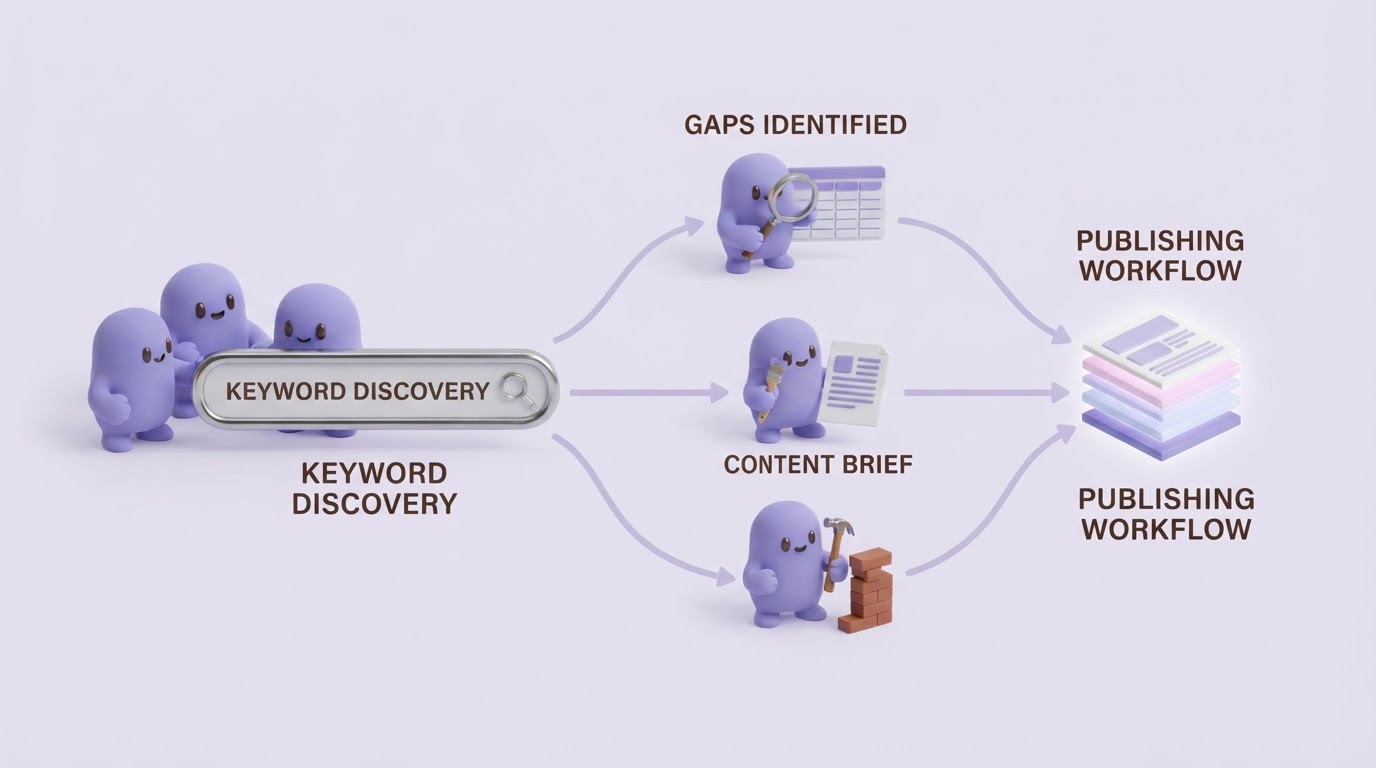
Manual research works for a small list of topics, though the process becomes slow once teams must inspect multiple competitors, validate intent, draft pages, and maintain a publishing calendar. Rankdesk removes repetitive handoffs while keeping editorial decisions visible.
First, add your site and the competitor set. Rankdesk researches the site, competitors, and relevant keywords to surface topic opportunities. For Paywise, the team would use those findings to separate a multi-state compliance guide from a product-focused solution page.
Next, choose the opportunity and set the page goal. The platform creates an article or landing page around that decision, giving the editor a draft to check for product accuracy, positioning, internal links, and subject-matter evidence. Review the workflow on the How It Works page and explore the available features.
Then publish through a controlled process. Teams can review drafts before release or use automated publishing where the workflow fits their governance. The practical controls behind that choice are covered in this guide to automating SEO content creation, while AI competitor content analysis explains how competitor findings become useful content decisions.
The result is a repeatable loop: research the gap, produce the right page, publish with oversight, and use search performance to select the next update.
Common content gap analysis mistakes
The most expensive error is publishing every keyword gap. A competitor can rank for topics that bring the wrong audience, require expertise your company cannot support, or pull attention away from higher-value pages.
Another failure appears when teams create a new URL for every variation. Paywise could have published separate pages for “out-of-state employees,” “multi-state payroll taxes,” and “remote worker payroll by state.” Search results showed overlapping intent, so the team built one strong guide with focused sections and created a distinct solution page only for software evaluation intent.
Keep an eye on these issues:
- Using domain-level competitors without checking the actual ranking pages.
- Treating estimated search volume as the only priority signal.
- Rewriting URLs that already earn relevant impressions instead of improving them.
- Skipping internal links from established pages to a new guide.
- Publishing drafts without factual review from the people closest to the product or service.
For stronger internal authority around priority pages, apply the methods in these practical domain authority strategies. You can also use the SEO Checker to review pages before publication.
FAQ about content gap analysis tools
What is the best way to prioritize content gaps?
Prioritize by buyer relevance, intent fit, your ability to provide first-hand value, and the realistic chance to compete. Use search volume as supporting evidence rather than the only decision factor.
Can a content gap analysis improve AI search visibility?
Yes. Content gaps often reveal unanswered questions, missing entities, and weak source pages in a topic area. Publish well-structured, accurate pages with clear authorship, useful examples, and relevant internal links. These qualities make content easier for search engines and AI assistants to interpret and cite.
How often should you run a content gap analysis?
Run a focused review quarterly, and review priority competitors whenever you launch a major product, enter a new market, or see a material shift in Search Console impressions. Refresh high-value pages when new questions or result formats appear.
Should I create a new page or update an existing one?
Update an existing page when it already targets the right intent and has relevant impressions, links, or rankings. Create a new URL when the searcher needs a distinctly different page type, audience, or conversion path.
If you want a more consistent way to turn content gaps into search-focused pages, see how Rankdesk works. It researches your site, competitors, and keywords, then creates articles and landing pages you can review or publish automatically. Read next: AI Keyword Clustering Tool for Content Planning.